Monday, 22 November 2010

Installing DVD writer

Installing a DVD writter.

To install a DVD writter Drive in a system unit, first thing to do is unplugg all the power supplies to the System then open the case and attach it. We have to make sure which type of connector it supports, if it was PATA (Parallel ATA) we would have used IDE connectors which was normally used in old computers, but nowadays its all about SATA(Serial ATA) which will help data transmission bit by bit or serially. It is a new technology and is faster than PATA. Then power supply cable should be plugged at the back of the DVD writter Device as well as SATA Cable. After that is done, Case should be closed properly and computer should be turned on. After operating system is loaded completely, we can have make sure whether it is installed properly or not by right clicking on My computer and then to the Device manager.

Wednesday, 17 November 2010

Cleaning System unit (Physically)

To clean a System unit, we should first have anti-static hygiene wipe and antistatic foam cleaner. To start cleaning, we should first make sure that the computer is not connected with power. Then the dust is brushed away first, then the foam cleaner should be spreaded to the hygiene wipe and cleaning can be started beginning from monitor, then keyboard, mouse and then inside the system unit case.

Monday, 1 November 2010

Deleting Files

First, right click on the file to delete and click on Delete from right click menu

The file will moved to recycle bin. If it is to be completely deleted from computer then SHIFT button should be holded while pressing delete.

Copy files

This is the post which explains to copy and paste files

First, right click on file to be copied, followed by a click on Copy.

right click and then open the folder to where the file is to be copied

Right click and click on paste from right click menu inside the folder

And the copy of the file will be created on the specific folder we want

Create Folders

Create a Folder

First, Right Click, go to New, the click Folder

Then, we can rename it or leave it as it is.

Schedule Scan for 10:00 am every Friday

First we should Click on Computer Scanner.

Then click on Manage Scheduled Scans.

Next, Click on Edit Scan Schedule.

Finally, select the time and date for Scan to be held, then click on Save.

Virus Protection

First step is to open Anti Virus.

 Second step is to Click on Update now.

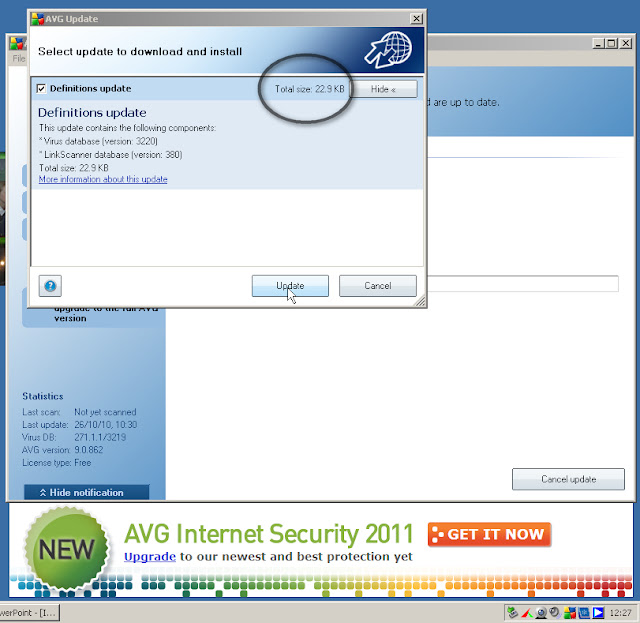
Next Step would be a click on Update if we get a new update on web.

We will have to wait until the update is uploaded and installed.

Finally a update was found and was done succesfully